
This original, AI-assisted editorial assessment is based on published documentation and buying trade-offs. We have not handled or tested a review unit. Verified refers to the source check, not measured performance. Methodology · Affiliate disclosure
Pros
- Computer and keyboard share a compact enclosure
- Official kit can simplify the accessory checklist
- Accessible connections support a learning project
Cons
- Still needs a display and suitable power
- Keyboard layout must match the buyer
- Software compatibility needs checking
A different kind of complete computer
The Raspberry Pi 400 builds a computer into a keyboard. That changes the experience of starting a small computing project: instead of deciding how to enclose an exposed board, you begin with an object that already has a clear place on a desk. The integrated format can make a learning setup less intimidating, but it is important to define what complete means before ordering.
You still need the surrounding equipment that makes a usable workstation. A display, power supply, pointing device, and suitable cables belong in the comparison. Check whether the listing is the standalone computer or the personal computer kit, and confirm the exact keyboard layout. Those details can matter more than a small difference in the advertised price.
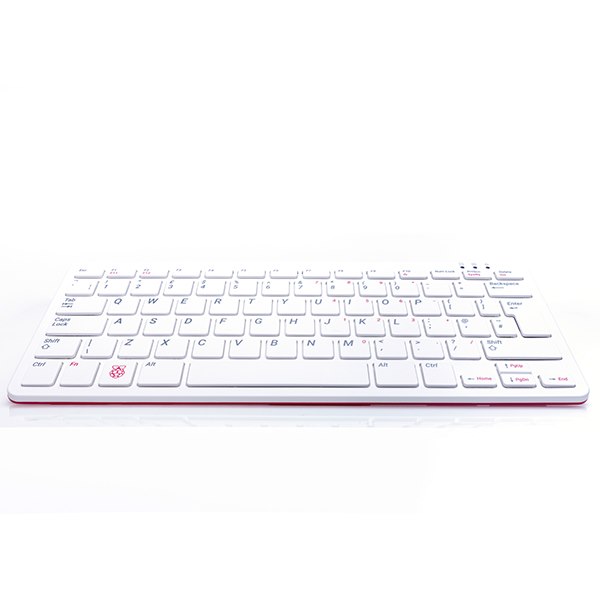
RPi 400 FRONT WHITE.jpg — SparkFun Electronics · CC BY 2.0. Proportional display; no substantive edits.
Start with the software you need
The Pi 400 is easiest to justify when learning, experimentation, or a compatible Linux workflow is part of the goal. Make a list of essential applications and verify how you will use them on this platform. Familiar browser access does not establish that every desktop program or specialist peripheral will behave as it does on another computer.
For a student, the relevant question may be whether the course materials and school tools fit. For an adult learner, it may be whether the system encourages experimentation without putting an existing work computer at risk. A low-cost machine is only economical if it can perform the tasks that made you consider it.
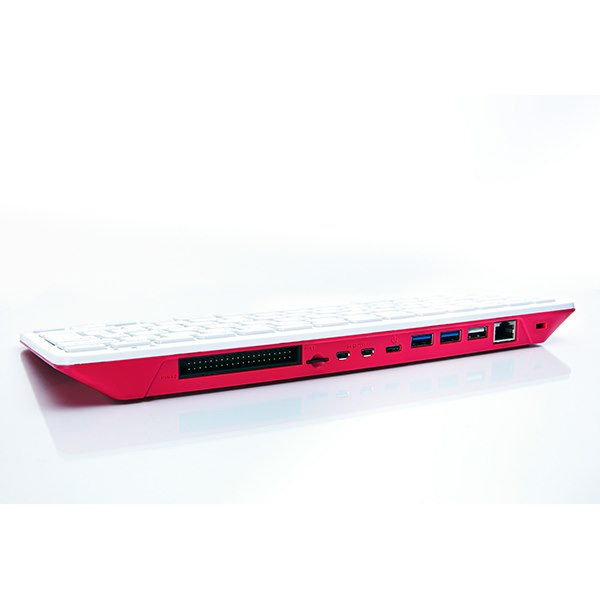
RPI 400 BACK WHITE.jpg — SparkFun Electronics · CC BY 2.0. Proportional display; no substantive edits.
The desk is part of the design
An integrated keyboard encourages a fixed workspace even though the device itself is easy to move. Think about the cable route to the display and power outlet, and leave the rear connections accessible. If you expect to use it between several rooms, consider the setup effort each time rather than confusing a portable keyboard-shaped computer with a self-contained laptop.
We have not measured performance, input feel, operating temperatures, or power use. We therefore treat the enclosure and connections as planning considerations rather than proof of a particular experience. A return period can help you check the keyboard layout, display arrangement, and application compatibility together. Document the setup so a small problem does not become a complete rebuild.
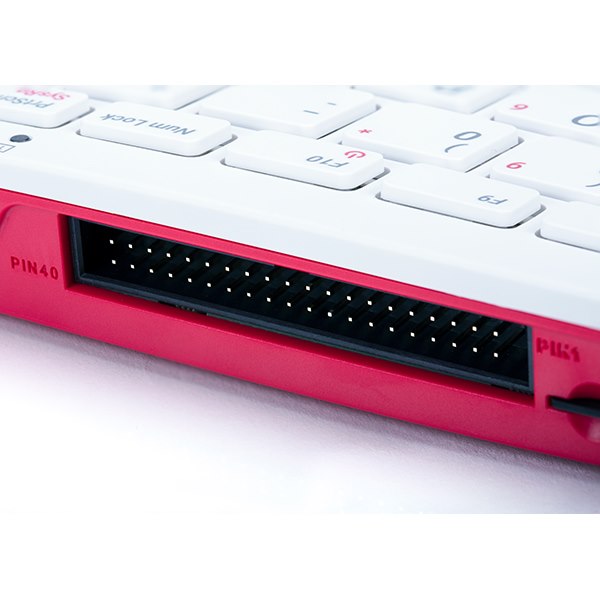
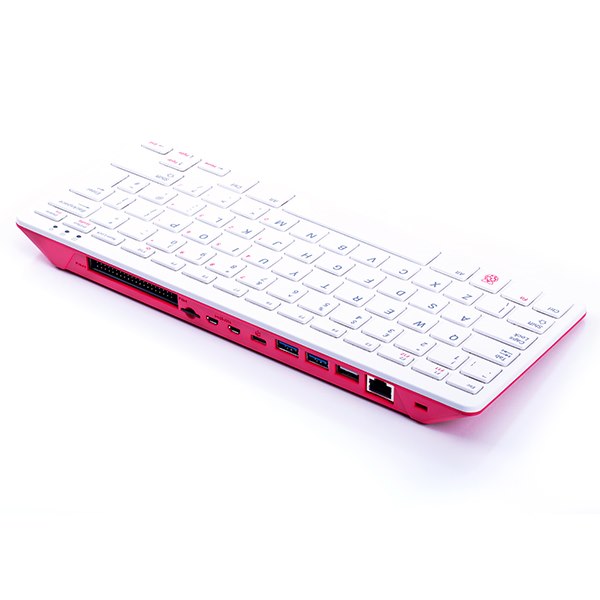
RPI 400 DETAIL GPIO WHITE.jpg — SparkFun Electronics · CC BY 2.0. Proportional display; no substantive edits.
Who should buy
The Pi 400 suits someone building a learning desk or a focused, compatible workstation who prefers an enclosed keyboard format to a bare board. It may also be useful when the official kit aligns with the accessories you lack. It is less attractive for a buyer who needs a built-in screen, battery operation, or specific software that has not been confirmed for the platform.
Verdict
Choose the Raspberry Pi 400 for the experience of learning and working at a simple, deliberate desk. Compare the full setup cost and verify the software before judging the value of the computer alone. The keyboard format can reduce clutter and make the purpose clearer, but it does not remove compatibility or maintenance decisions. The best purchase is a complete working plan, not just an appealing shape.
How to read this assessment
This assessment separates a published feature from an outcome we can actually verify. A specification describes an intended capability; it does not establish the quality of your particular unit, the reliability of a home network, or the comfort of a product during a long session. We have not tested a review sample, so the conclusion card deliberately leaves the overall score and its three components unassigned. This is more useful than giving an apparently precise number without measurements.
Before ordering, write down the three tasks that matter most and check each against the exact model being offered. Include the full ownership cost: essential accessories, replacement parts, power, and any recurring services. Compare products in the same condition with equivalent return protection. Save the listing and inspect the delivered item while you can still return it. A good buying decision should remain sensible when the excitement of a discount has worn off.
We also distinguish the product from the seller. The manufacturer’s documentation cannot verify the authenticity, storage history, or repair quality of a particular listing. Ask for the information that would change your decision and keep a record of the answer. Where that information is unavailable, uncertainty belongs in the conclusion rather than behind a confident badge.
Our recommendation is conditional on those checks. We do not treat availability in a marketplace as evidence of ongoing manufacturer support, and we do not assume that a seller’s use of the word refurbished guarantees a particular service process. Ask for the terms in writing and compare them with the alternatives before committing.
Sources & corrections
Raspberry Pi 400 official documentation · consulted November 29, 2026. Specifications belong to the exact generation described. Editorial judgments are ours; no benchmarks or hands-on results are implied.
Found a detail to correct? Contact our editorial desk with the article URL and supporting evidence.